
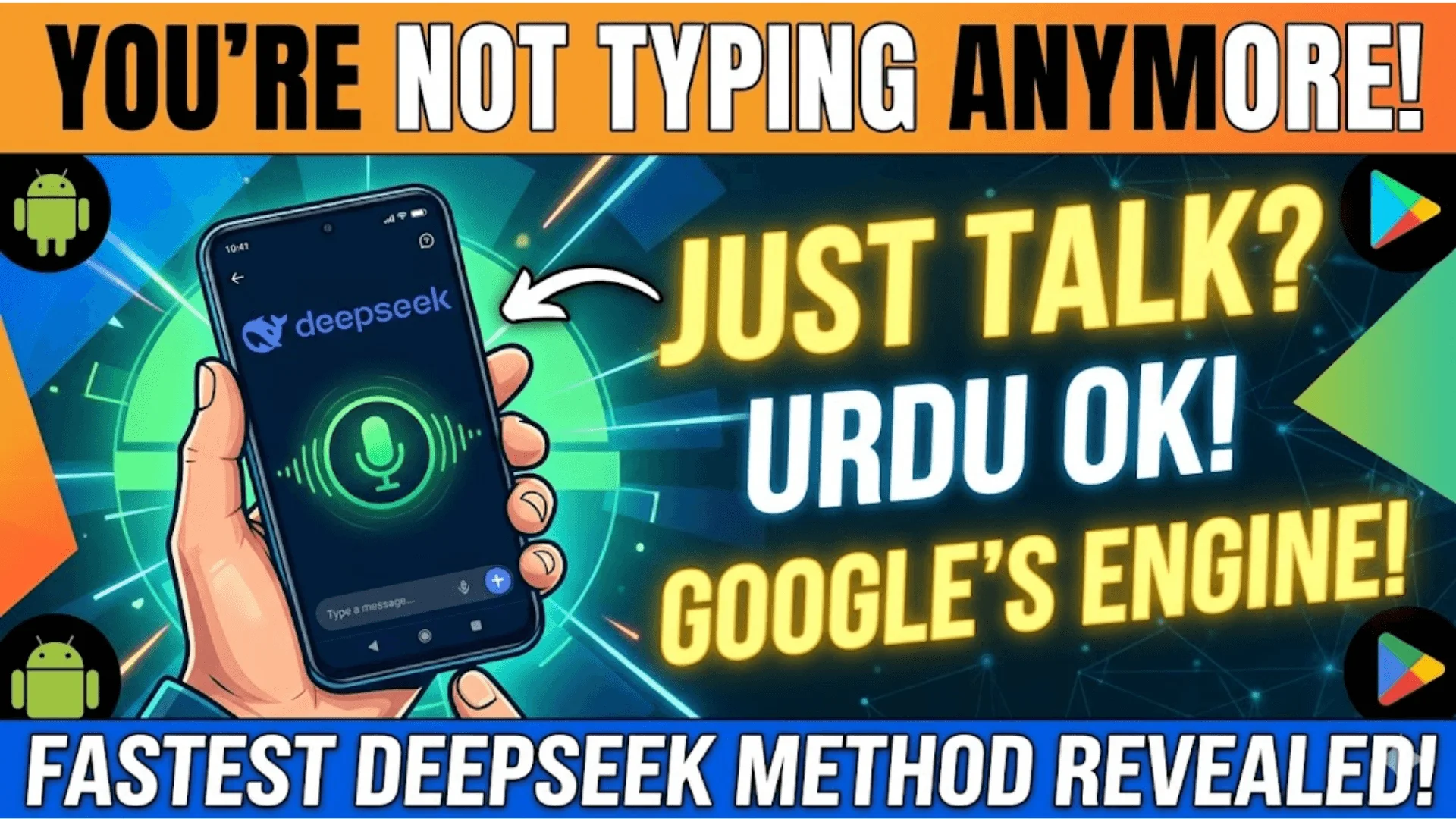
How To Use DeepSeek Voice Feature On Android In Pakistan Step By Step
How To Use DeepSeek Voice Feature On Android
DeepSeek Voice Feature: Most Pakistani Android users are still typing out their questions to DeepSeek when they could simply be talking to it. The voice input feature has been available in the official app for a while now, but because it sits quietly inside the chat bar with no big announcement, a lot of people scroll right past it.
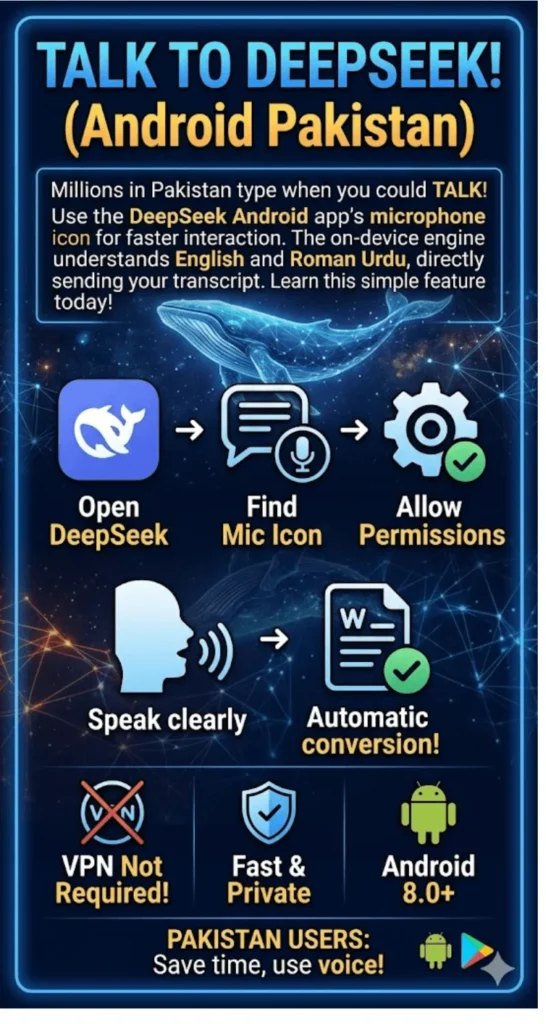
If you have been using DeepSeek the same way you use a search box, tapping out queries one letter at a time, you are missing out on probably the fastest way to get answers from an AI on your phone. The microphone icon in the app connects directly to Google’s speech recognizer on Android, which means it works well with English, Roman Urdu, and even mixed language queries.
DeepSeek V4 Pro vs V4 Flash Which Model Should You Use in Pakistan 2026
Quick Answer
To use the DeepSeek voice feature on Android, open the official DeepSeek app, tap the microphone icon inside the chat input bar, allow microphone permission when prompted, then speak your question clearly. The app converts your speech to text using Google’s recognizer and sends it as a prompt automatically.
DeepSeek Voice Feature Quick Info
| Detail | Info |
| App Name | DeepSeek Chat (Official) |
| Developer | Hangzhou DeepSeek AI Co., Ltd. |
| Android Requirement | Android 8.0 (Oreo) or later |
| App Size | ~150 MB |
| Voice Feature | Microphone-based speech-to-text |
| App Price | Free |
| Download Source | Google Play Store |
| Available in Pakistan | Yes |
DeepSeek Login Problems 2026 Fix “Email Already Exists” and OTP Not Received Errors
Is DeepSeek Available in Pakistan Right Now?
Yes, DeepSeek is fully accessible in Pakistan. The official app is available on the Google Play Store and works on any Android phone running version 8.0 or above which covers almost every device sold in Pakistan since 2018. You do not need a VPN, and there are no PTA restrictions on the app as of 2026.
Pakistan is not among the countries that have banned or restricted DeepSeek. Italy, Germany, and certain US states placed restrictions on the app for government devices, but Pakistani personal users face no such barriers. Anyone with a working internet connection whether on Jazz, Zong, Telenor, or Ufone data can download and use the app for free.
How To Create A DeepSeek Account From Pakistan Fix Phone Verification Issues
How To Download the Official DeepSeek App on Android
Before setting up voice input, you need to make sure you have the real app installed. The Play Store has multiple lookalike apps using the DeepSeek name and whale logo, and some of them route your queries through third-party servers.
Steps to install the verified app:
- Open Google Play Store on your Android phone
- Search for “DeepSeek Chat”
- Check that the developer name shows “Hangzhou DeepSeek Artificial Intelligence”
- Tap Install (the app is free, around 150 MB)
- Once installed, open the app and sign up with a Gmail or Yahoo email address
- Do not sign up with a Pakistani phone number DeepSeek currently restricts SMS verification to mainland China numbers
How To Earn Money With DeepSeek 7 Real Methods For Pakistani Freelancers 2026
How To Use DeepSeek Voice Feature on Android Step by Step
Once the app is installed and you are signed in, the voice feature is one tap away. The process is straightforward but there are a few permission steps that first-time users need to complete. Open the DeepSeek app and land on the main chat screen. You will see a text input bar at the bottom of the screen this is where you normally type your messages. Look to the right side of that input bar and you will find a small microphone icon sitting next to the send button. Tapping it for the first time will trigger an Android permission dialog asking whether DeepSeek can access your microphone.
Step-by-step voice input process:
- Open the DeepSeek app and go to the chat screen
- Tap the microphone icon on the right side of the text input bar
- Tap “Allow” when Android asks for microphone permission
- Wait for the recording indicator to appear (usually a pulsing animation)
- Speak your question clearly in English or Roman Urdu
- Pause naturally when done the app auto-detects silence
- Your spoken words appear as text in the input field
- Tap the send button or speak and let the app submit automatically
The app uses Google’s on-device speech recognizer for Android, which is the same engine that powers Google Assistant. This means voice recognition quality depends on your Android version and whether Google’s speech services are updated on your phone.
DeepSeek vs Gemini vs Claude Which AI Is Best For Pakistan In 2026?
What Happens After You Speak?
Your voice is converted to text locally on your Android device first. That text is then sent to DeepSeek’s servers as a normal text message. There is no audio transmission to DeepSeek’s servers only the transcript. This distinction matters if you are privacy-conscious about what data leaves your phone.
DeepSeek processes the text query on its servers in China and returns a response just like any typed message. The current mobile app does not have a text-to-speech output feature, so DeepSeek will reply in text form on your screen. For full voice-in and voice-out interaction, you would need a third-party browser extension, but on the Android app the input side is covered cleanly.
DeepSeek vs Gemini vs Claude Which AI Is Best For Pakistan In 2026?
Microphone Permission Not Showing? Fix It Here
Some Pakistani Android users report that the microphone icon does not respond after the first tap, usually because the permission was denied accidentally during setup.
To fix microphone permission on Android:
- Go to your phone’s Settings
- Tap Apps or Application Manager
- Find DeepSeek in the list
- Tap Permissions
- Enable Microphone access
- Return to the app and try the voice icon again
If the microphone icon is completely missing from your app, your DeepSeek version may be outdated. Open the Play Store, search for DeepSeek, and tap Update if the option appears.
DeepSeek API Price In Pakistan 2026 Complete Cost Breakdown In PKR
DeepSeek Voice Tips for Pakistani Users
Using voice input in Pakistan works best when you keep a few practical things in mind. Network quality directly affects how fast DeepSeek responds after your voice is transcribed.
- Use Wi-Fi over mobile data when possible for faster AI responses
- Speak at a normal pace do not slow down or exaggerate pronunciation
- Roman Urdu works reasonably well, but English gives the most accurate transcriptions
- Avoid background noise move away from traffic or TV sound before speaking
- Short, specific questions get better AI answers than long rambling voice queries
- If a word is transcribed wrong, tap the text field and edit before sending
DeepSeek V4 Explained In Urdu What Is the 1 Million Token Context Window?
DeepSeek Voice vs Typing Which Is Better?
For quick factual questions, voice input saves significant time. Typing a 20-word question on a mobile keyboard takes most people 15 to 20 seconds. Speaking the same question takes under 5 seconds. For Pakistani users who use their phones as their primary device and are often multitasking, this speed difference adds up across a day.
Typing still has advantages for technical queries. If you are asking DeepSeek to write code, debug an error, or handle something that requires specific punctuation or formatting, typing gives you more control. The voice feature is best suited for informational questions, quick explanations, and conversational prompts where exact wording is flexible.
DeepSeek V4 Flash vs V4 Pro Which One Is Best For Pakistani Users?
FAQ
1. Can I use DeepSeek voice feature without a VPN in Pakistan?
Yes. DeepSeek is not blocked in Pakistan, and no VPN is needed to use the app or its voice feature.
2. Does DeepSeek voice work with Urdu language in Pakistan?
The voice input relies on Google’s speech recognizer, which supports Roman Urdu and basic Urdu script, though accuracy is better in English.
3. Why is my DeepSeek microphone icon missing?
Your app version may be outdated. Update it from the Google Play Store to get the latest interface including the microphone icon.
4. Does using voice input on DeepSeek cost anything?
No. The DeepSeek app is completely free, and voice input does not carry any additional charges.
5. Does DeepSeek read out responses in voice on Android?
Not currently. The Android app converts your voice to text input but DeepSeek’s replies remain text-only on mobile.
6. Is it safe to give DeepSeek microphone access on my Android phone?
The app only uses the microphone when you actively tap the icon. Conversations are processed on DeepSeek’s servers, so avoid sharing sensitive personal or financial information.
7. Which Android phones support DeepSeek voice input in Pakistan?
Any Android phone running version 8.0 or newer supports the feature this includes almost all budget, mid-range, and flagship phones sold in Pakistan after 2018.
DeepSeek V4 Review 2026 Is It Better Than ChatGPT-5 and Claude Opus?
Conclusion
DeepSeek’s voice feature on Android brings genuine speed to an AI tool that millions of Pakistani users already have on their phones. The setup takes less than two minutes, the app is free on the Play Store, and the microphone icon is available to every user running Android 8.0 or above. Pakistani users on Jazz, Zong, Telenor, or any home Wi-Fi connection can access it without any workarounds.
As DeepSeek continues to update its mobile apps the V4 model was released in April 2026 voice capabilities are likely to improve further. For now, the speech-to-text input already makes the app significantly faster for everyday queries, and getting comfortable with it now puts you ahead of the curve as the feature gets more refined.
5 AI Tools Helping Pakistani Startups Make Smarter Business Decisions In 2026